How to log in to your Trading Challenge account and Trading Platform?
Modified on Wed, 15 Apr at 8:47 AM
Upon purchasing the challenge, you will receive a confirmation email that contains essential details about your profile and MatchTrader account, including your registration summary and account setup confirmation.
This email serves as official verification that your registration has been successfully processed and that your profile is now active in our system.
To sign into your Pivex Trading Challenge account, simply follow these steps:
1. Log In to Dashboard
Go to start.pivex.com.
2. Enter Your Email
Enter the email address associated with your Pivex account.
3. Receive a One-Time-Password Code:
Once you enter your email, you’ll receive a 6-digit code in your inbox. Use this code to log in to your Pivex dashboard securely.
4. Access Your Dashboard
After successfully logging in, you’ll have full access to your trading dashboard. From there, you can monitor your challenge progress, track your trading activity, and manage the status of your current accounts.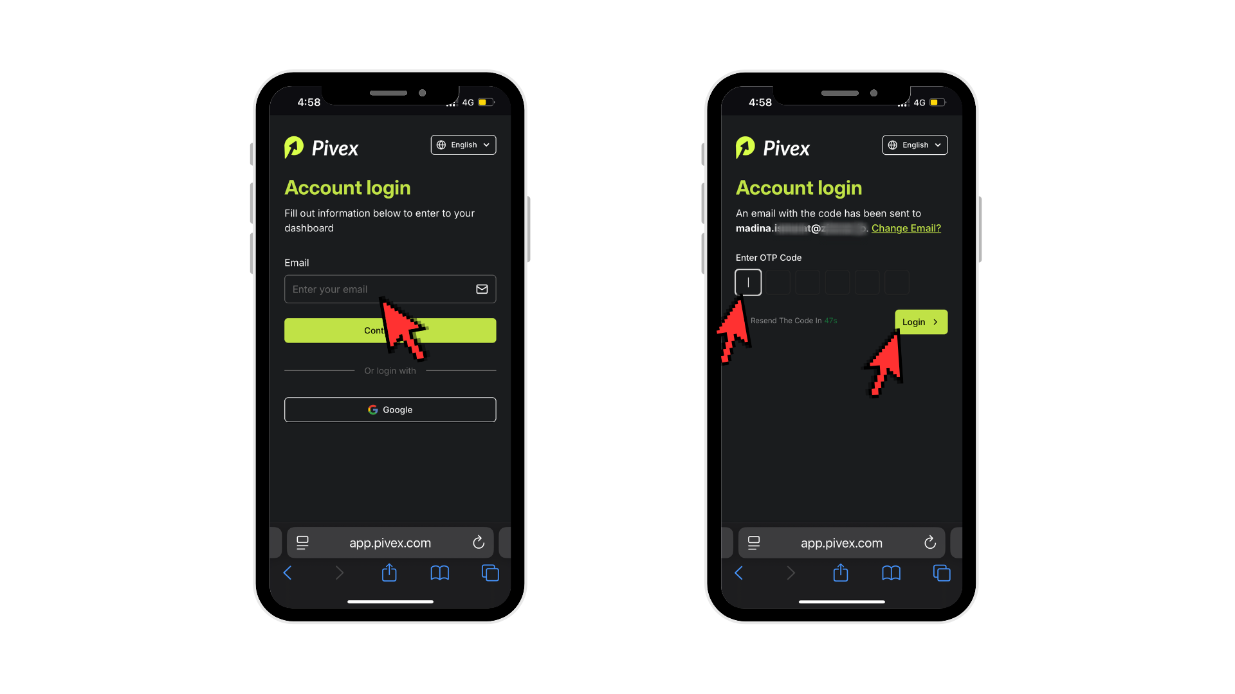
How to log in to your MatchTrader account from your dashboard:
This is the final step to get you into the market.
Access the Trading Platform: Select the “Trading Platform” tab from the left-hand menu of your dashboard.
Enter Your Credentials: Use the Email and Password that you can copy from your dashboard (under a yellow "Trade Now" button) or from your confirmation email.
Start Trading: You are now all set! Your Trading Challenge officially begins as soon as you place your first trade.
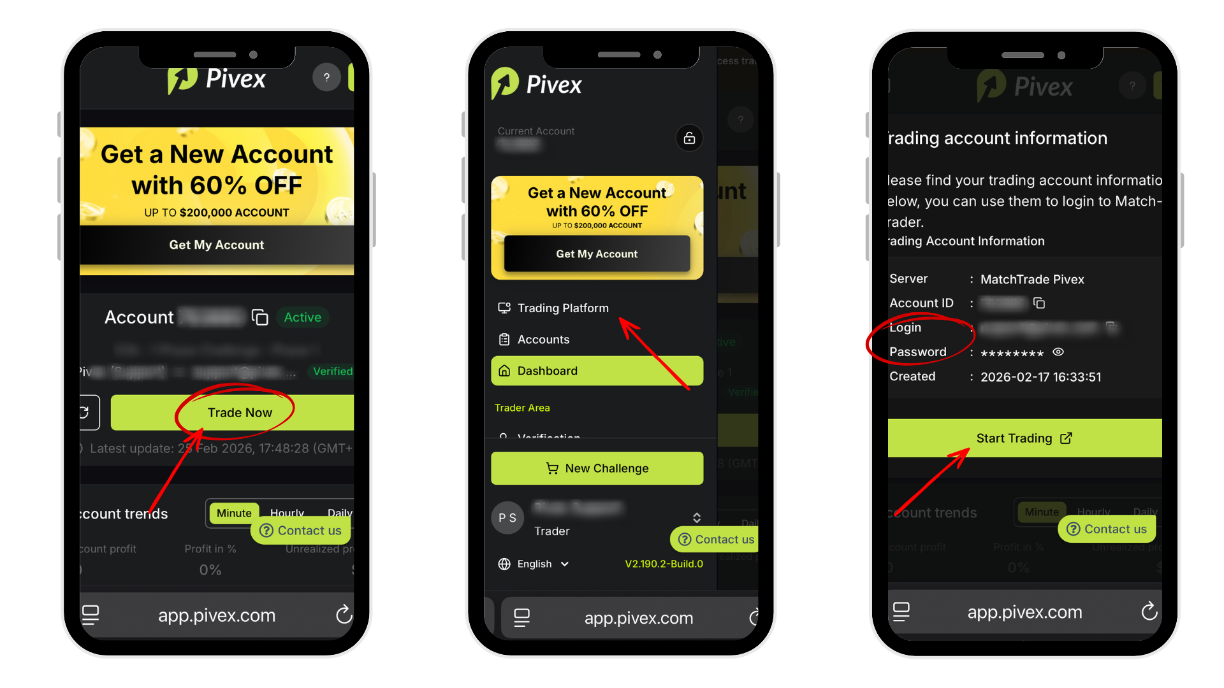
If you experience any issues logging in or accessing your MatchTrader account, feel free to contact our support team via live chat or email at support@pivex.com, and we’ll assist you in resolving any issues.
Was this article helpful?
That’s Great!
Thank you for your feedback
Sorry! We couldn't be helpful
Thank you for your feedback
Feedback sent
We appreciate your effort and will try to fix the article